Sync technology for live performance
The video follows
your ensemble.
PolyVideoSync lets orchestras, wind ensembles, choirs, and chamber groups perform live alongside video — without being locked to a click track. The video adapts to the music, not the other way around.
How it works
PolyVideoSync works with your content. Provide your own video file and score, and get started making magic for your audiences!
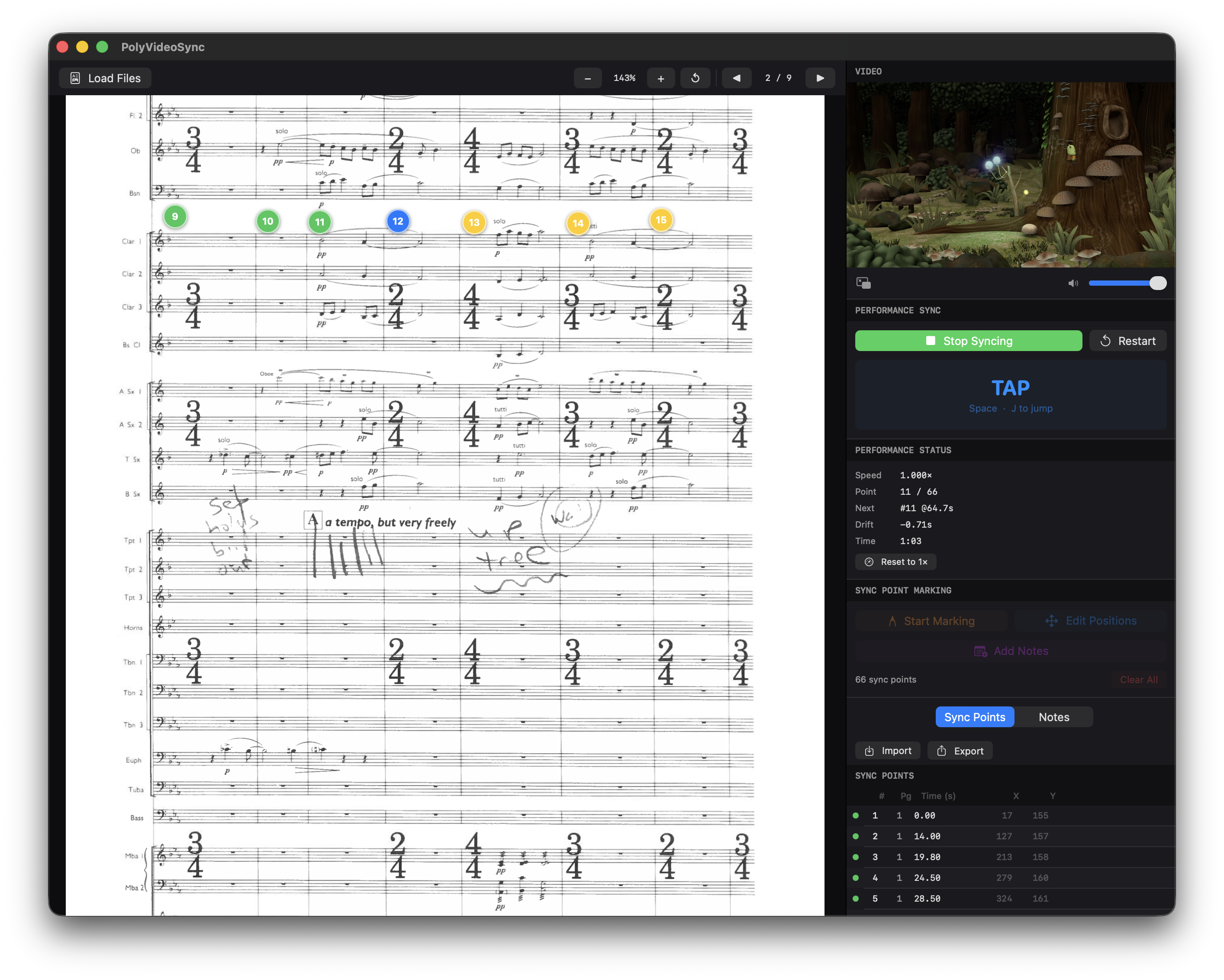
Get started by playing through the source video and clicking to place Sync Points directly on the score. Each Sync Point ties a specific beat in the score to a precise timestamp in the video. Export the list of Sync Points for later use.
On concert day, load your video file, score, and the previously exported Sync Point file. The app restores all markers exactly where you placed them.
Follow the conductor! When the live music reaches a Sync Point on the score, tap spacebar. PolyVideoSync measures how early or late the cue landed against the expected video timestamp, then adjusts playback speed so the next sync point arrives exactly on time. The ensemble never adjusts — the video does.
PolyVideoSync Live Demonstration
Built for the concert hall
Musicians play at the tempo that feels right. The video compensates, never the ensemble.
Export sync points as .json and reload for every rehearsal and concert. Annotate with performance notes.
The score lives alongside the video, giving operators and conductors a clear visual reference throughout.
Spacebar advances sync points. No complex controls to manage mid-concert.
Send the speed-adjusted video to AirPlay devices or mirror to projectors and screens for the audience.
The source video's audio is muted during performance. Only the live ensemble is heard.